
Starter Guide
14/12/25
Getting Started
Welcome to Dawnguard! This guide is designed to take you from a fresh login to your very first boss kill. Follow the steps below to optimize your early game progression, unlock powerful starting setups, and find your way around our custom world.
Step 1: Creating Your Account & Client Setup
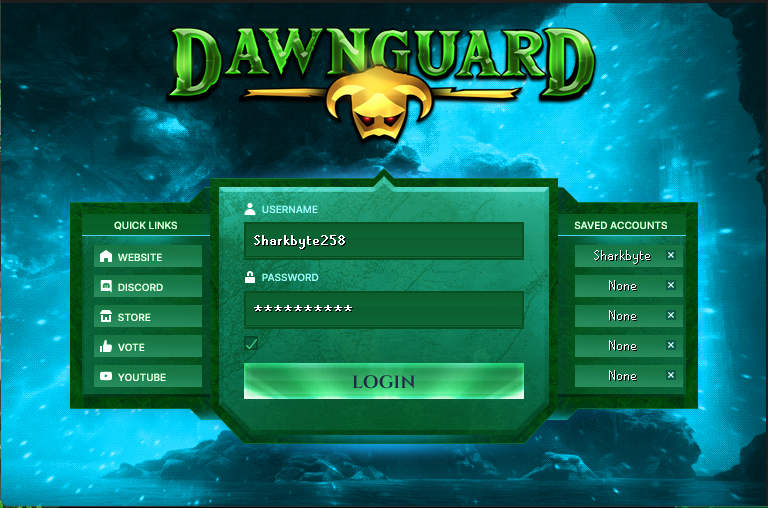
When you launch Dawnguard for the first time, simply enter your desired username and password on the login screen to automatically create your profile. Hit login a second time to be taken into the game!
Pro-Tip: Save Your Account
Use the 'Saved Accounts' feature on the right side of the client login screen to switch between your main profile and alternate game modes seamlessly!
Step 2: Selecting a game mode!
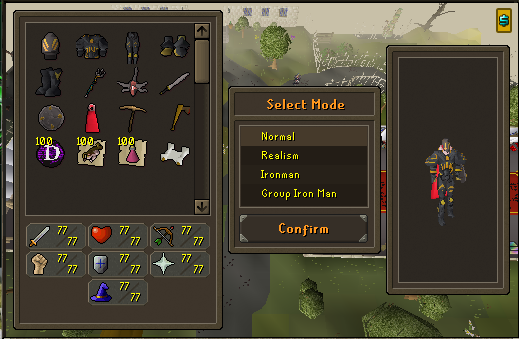
After logging in for the first time you will be prompted on which Gamemode you would like to select. Dawnguard currently has 4 game modes to choose from with the following benefits.
Game modes and Benefits
Normal - Standard gameplay with accelerated Exp
Realism - Slower Exp rates -> better Drop Rate
Ironman - Normal mode but self sufficient, unable to trade or use certain shops
Group IronMan - Ironman Rules but able to trade and bank with members inside your group
Step 3: Vault and Progress
Once you enter the game and set your PIN, you can access the Vault by typing ::vault, you will be able to receive an item from the Vault every 2 hours 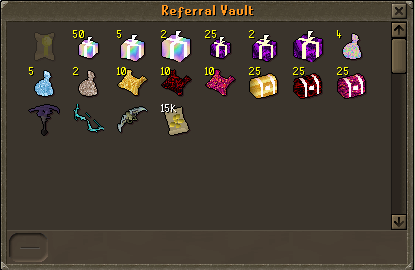 Jump into ::progress for a head start and look at some of the things that Dawnguard has to offer!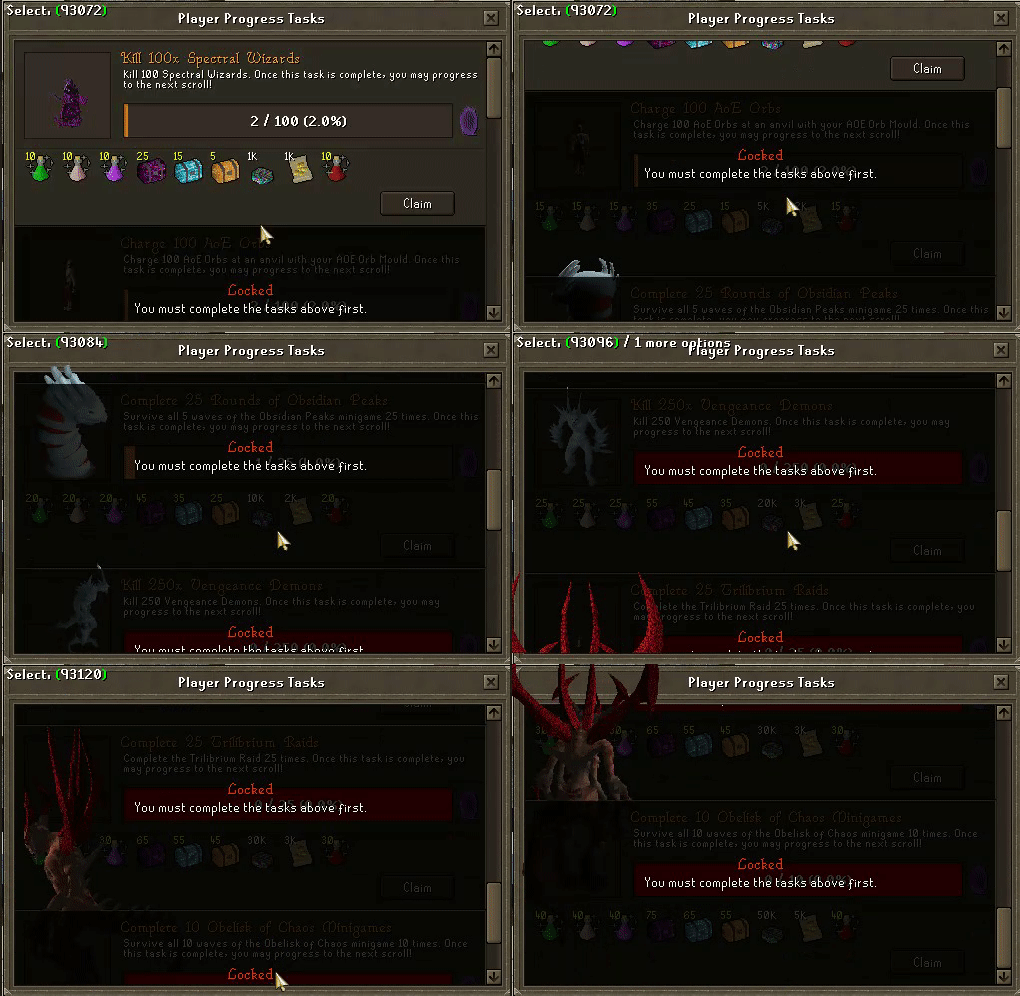
Step 4: Where to Start
In any RSPS one of the biggest questions is "Where to start". There are different avenues you can take with this such as Money Making tasks (can be found in the quest tab and clicking the scroll icon) to gain some coins to start unlocking bosses. You can also start Slayer by typing ::sdash and receiving a task from the taskmaster while you are on your way to unlocking bosses and eventually raids. You can also jump right into instances with spectral wizard/draconic warshooter/elite champion as your first free unlocks to get you started!
Pro-Tip
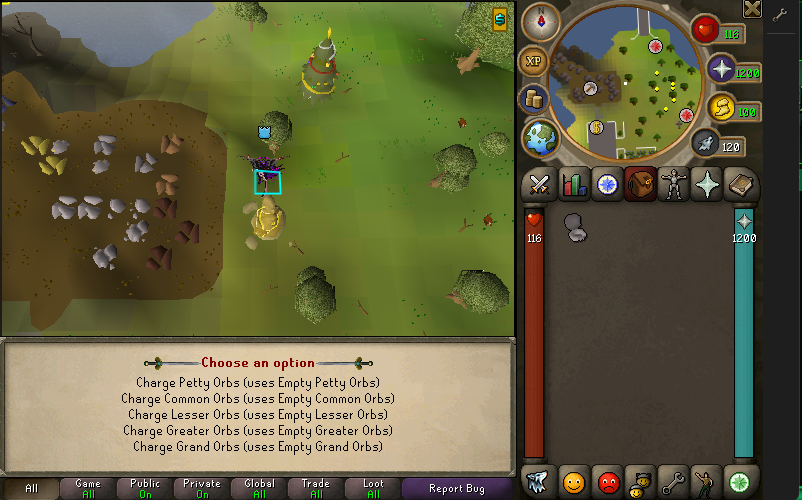
Starting with mining AOE orbs ores, buying an AOE Orb Mould and clicking the Charging skill will bring you to an obelisk where you can create orbs to enable AOE inside instances!
Step 5: Gearing up!
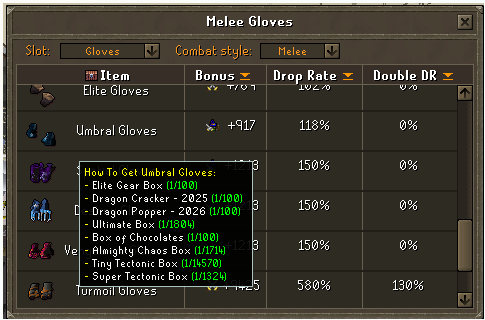
We feel you shouldn't be stuck behind certain combat styles because they are BiS items so we have made all combat styles equal in power while wearing the respective gear so you can choose whichever suits your playstyle! Also not only do we offer combat style specific gear, you have the ability to gain Tribrid armor that works with all 3 styles!
Pro-Tip
use ::items to see what stats the items will give you and where they all sit in terms of power and how to acquire them!
Step 6: Prestige!
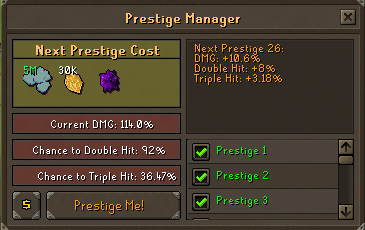
Prestiging your account in Dawnguard is VERY impactful in terms of Damage and Drop rate. once you hit 120 in all skills (besides Enchantment, raids and Charging) you can type ::prestige to see the materials needed to advance in prestige levels.
Pro-Tip
While it might not seem like a massive jump in power or drop rate, Prestige 25 gives the following boost to your account.
Clue Guide
Coordinate Clues
2937 2890
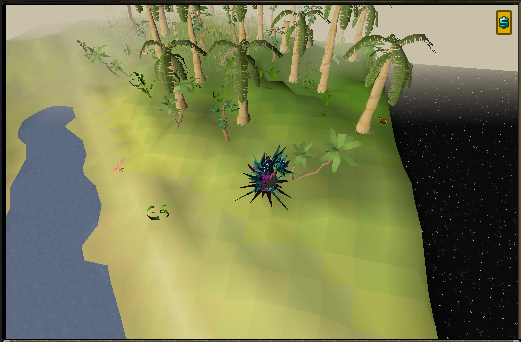
3029 3299
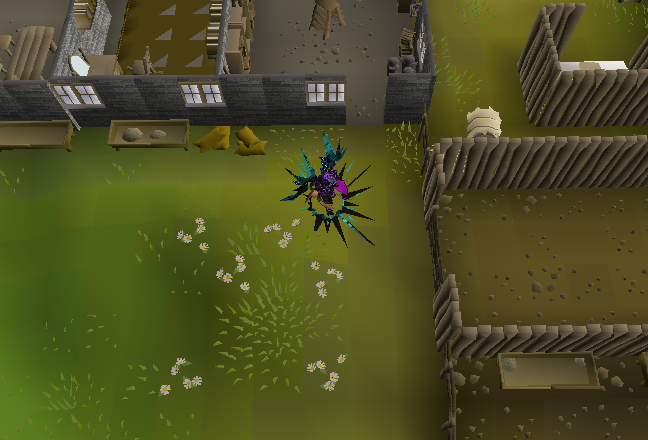
2924 3477
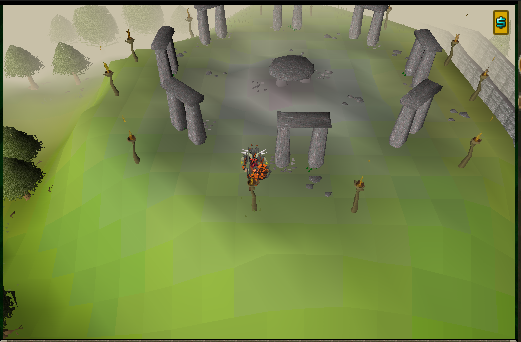
2915 3308
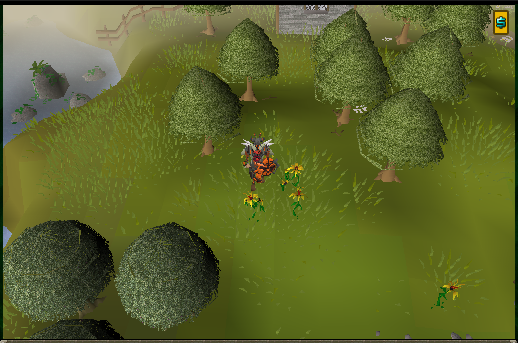
2617 3307
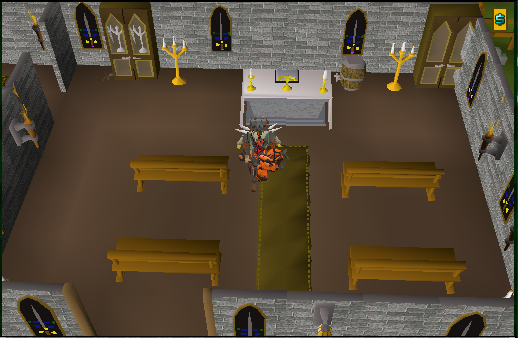
2938 3471
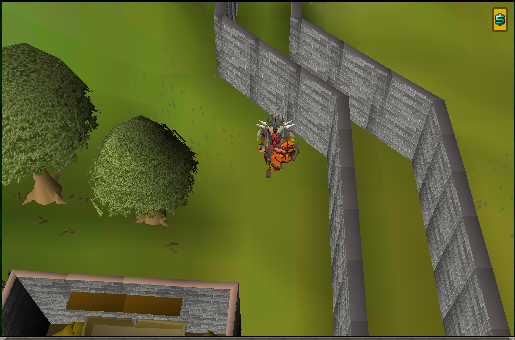
3077 3490
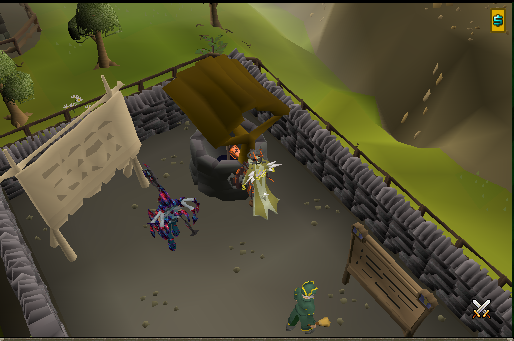
3064 3270
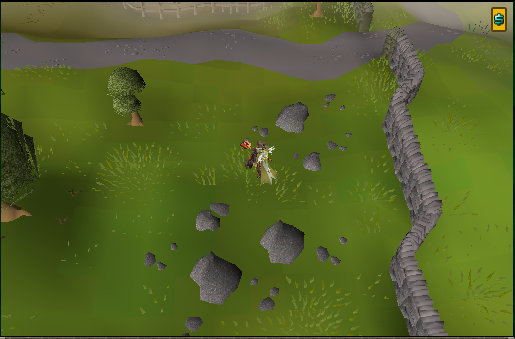
2757 3480
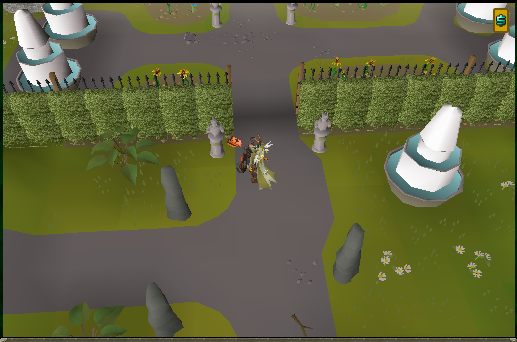
2931 3433
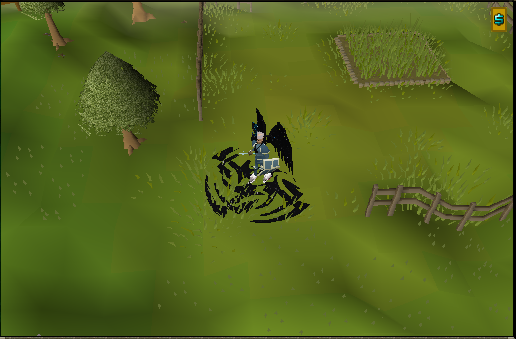
Dig Clues
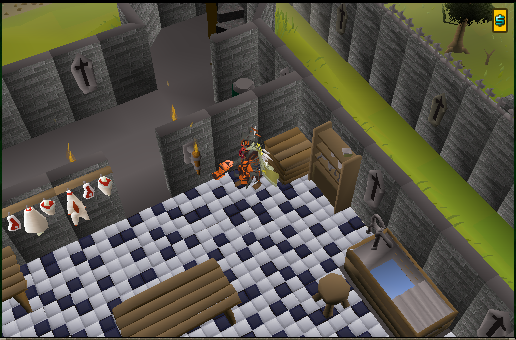
Dig near the Ring Stall at Thieving skill teleport.
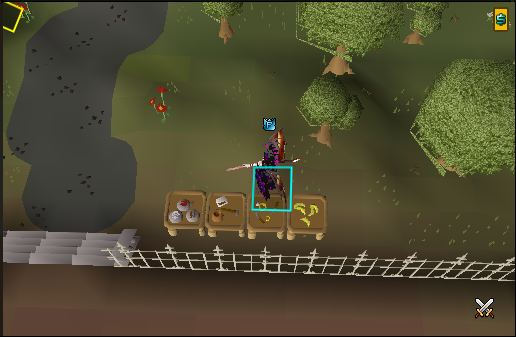
Dig near the Leaderboard at home
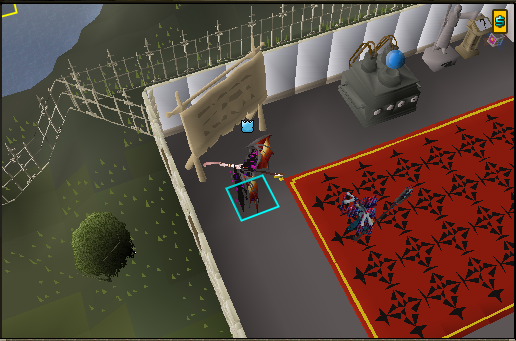
Dig near the giant fishing nets
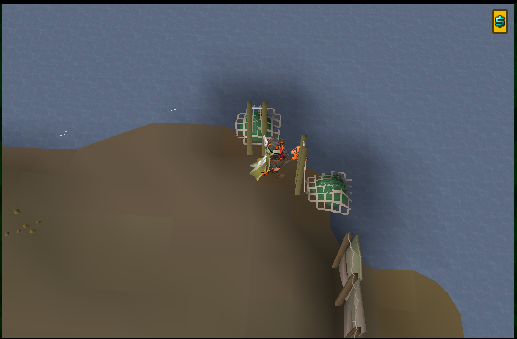
Dig near the Bee Hives
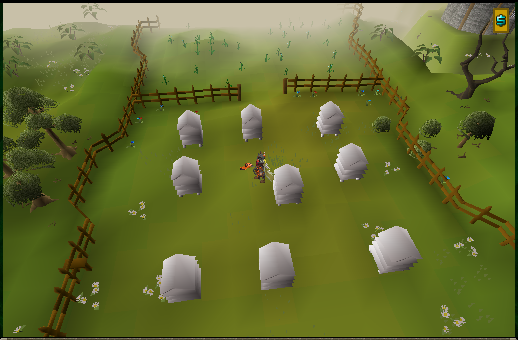
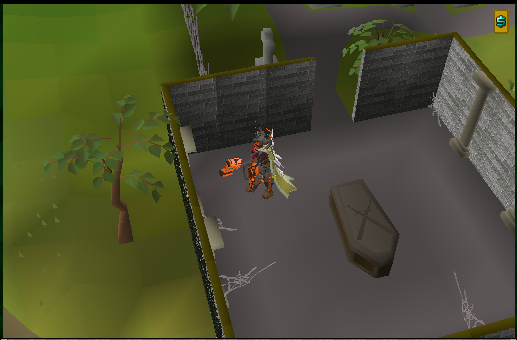
Dig near the coffin of the skeleton
Dig in front of the Shopkeeper.
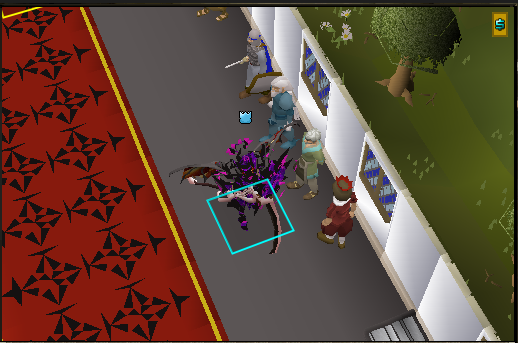
Dig near the Al Kharid Bank
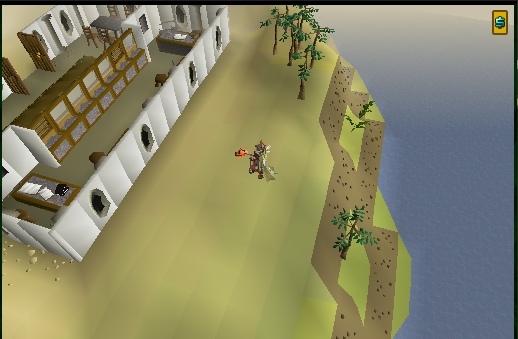
Dig near the Lumbridge sink.
Instances
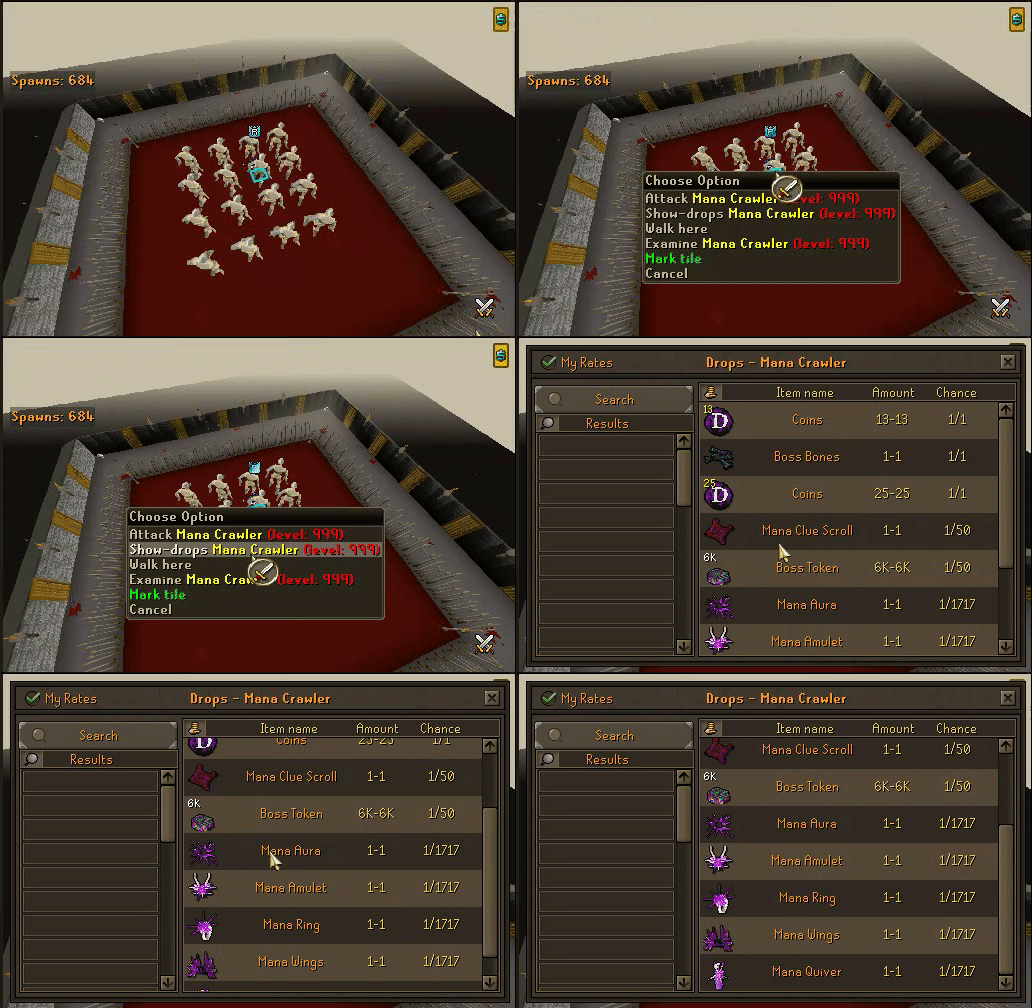
Instances work a bit differently on Dawnguard to the point of not needing Instance tickets as every boss is a 4x4 instance. To start any bossing instances (found using ctrl-t or via the world icon on the bottom left of the mini-map) you must pay the initial 1 time unlock fee by selecting the boss and hitting teleport, a dialogue will appear asking you to confirm your unlock and when you do you will be ported to the boss instance. 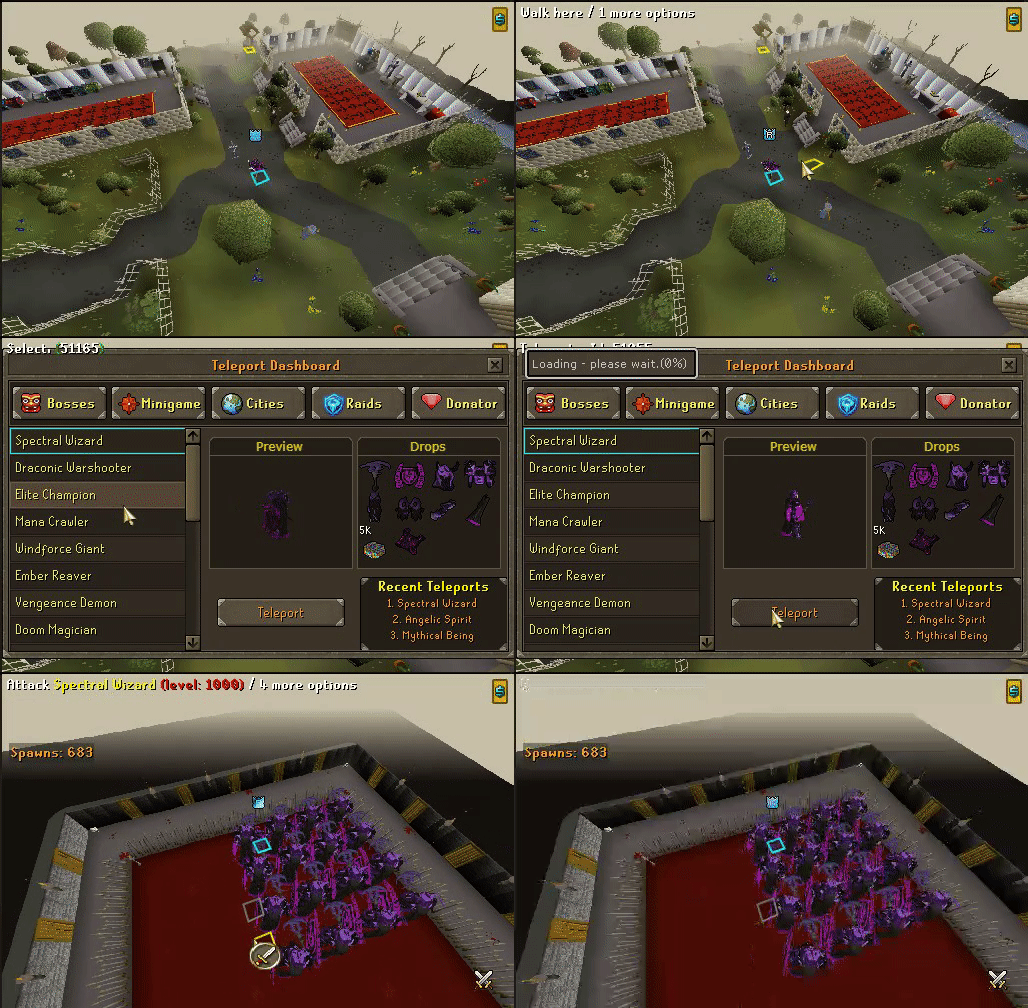 Items drops can be seen 2 different ways, once in the teleport menu or by right clicking the boss and selecting show-drops.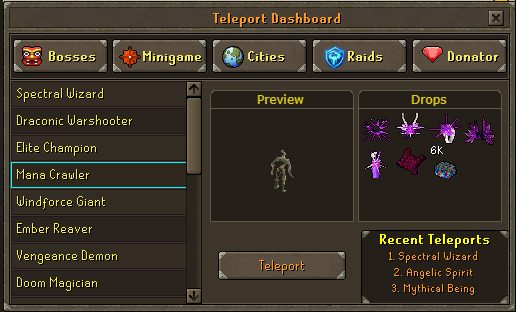
Raids
Raids inside Dawnguard are a great way to get together with a group of people to take down some bosses and earn some keys for epic loot. The First raid you will have access to is Umbral Descent with no unlock requirement. This can be accessed by hitting ctrl-t or the globe bottom left of the mini-map and navigating to the Raids tab. 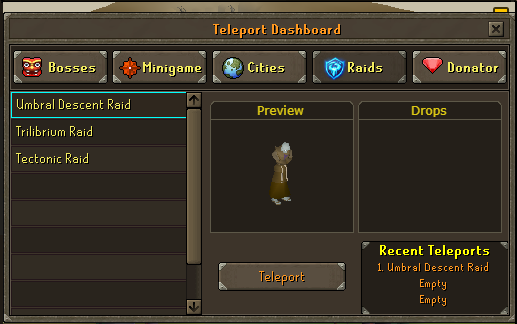 After you teleport you will see an NPC to which you must talk to in order to bring up the party dialogue and ui.
 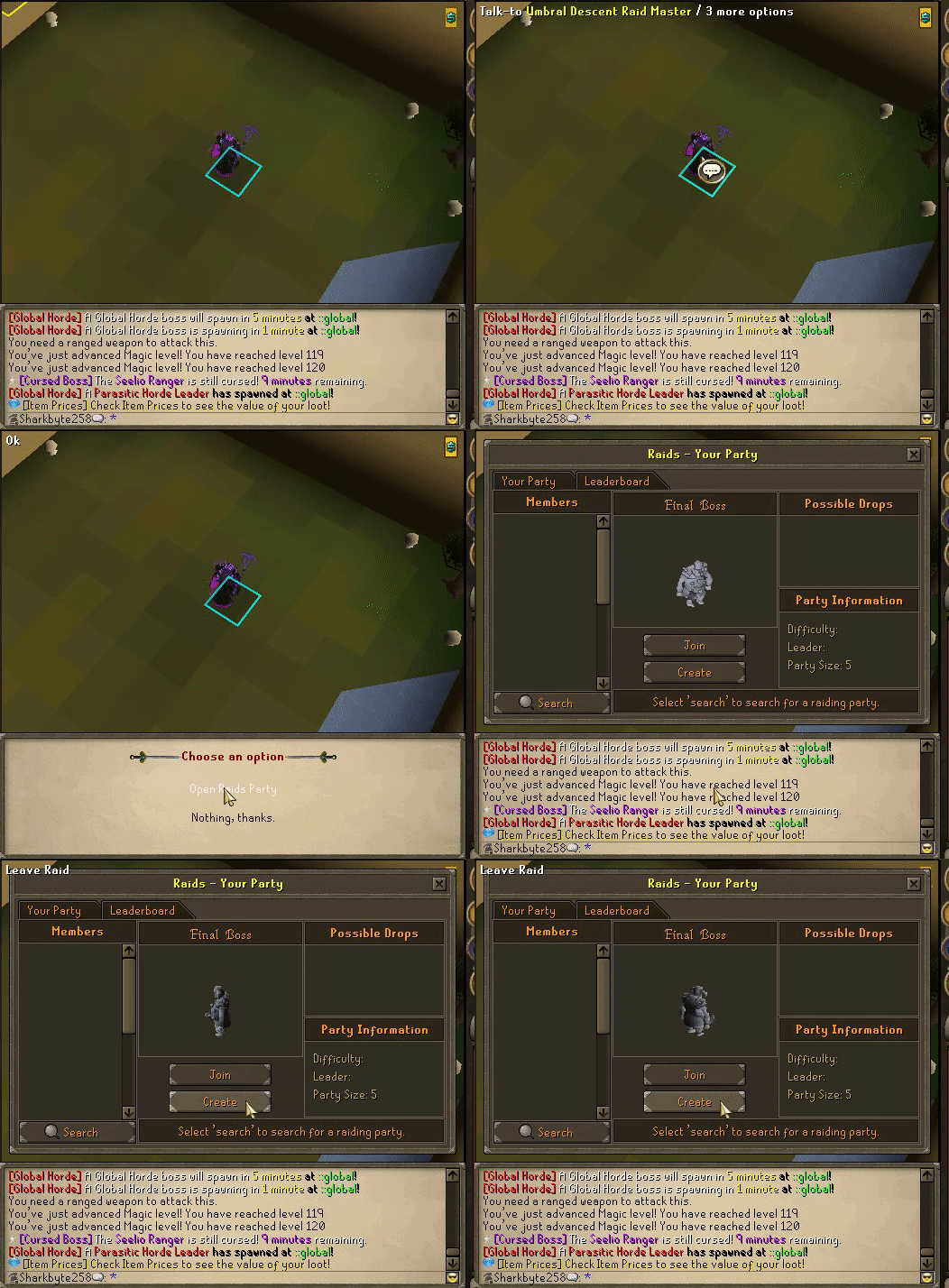 Once you are in the ui you will have the option to create a party or join one. To join a party you have to click the search button in the bottom left and then type in any persons name that is in the party you wish to join, then click their name in the members section above and click the Join button located in the middle of the ui. The second option is creating a party, which you will use if you want to solo the raid yourself or be the leader of the raid party, once this is complete you may start the raid as the leader or enter yourself.
 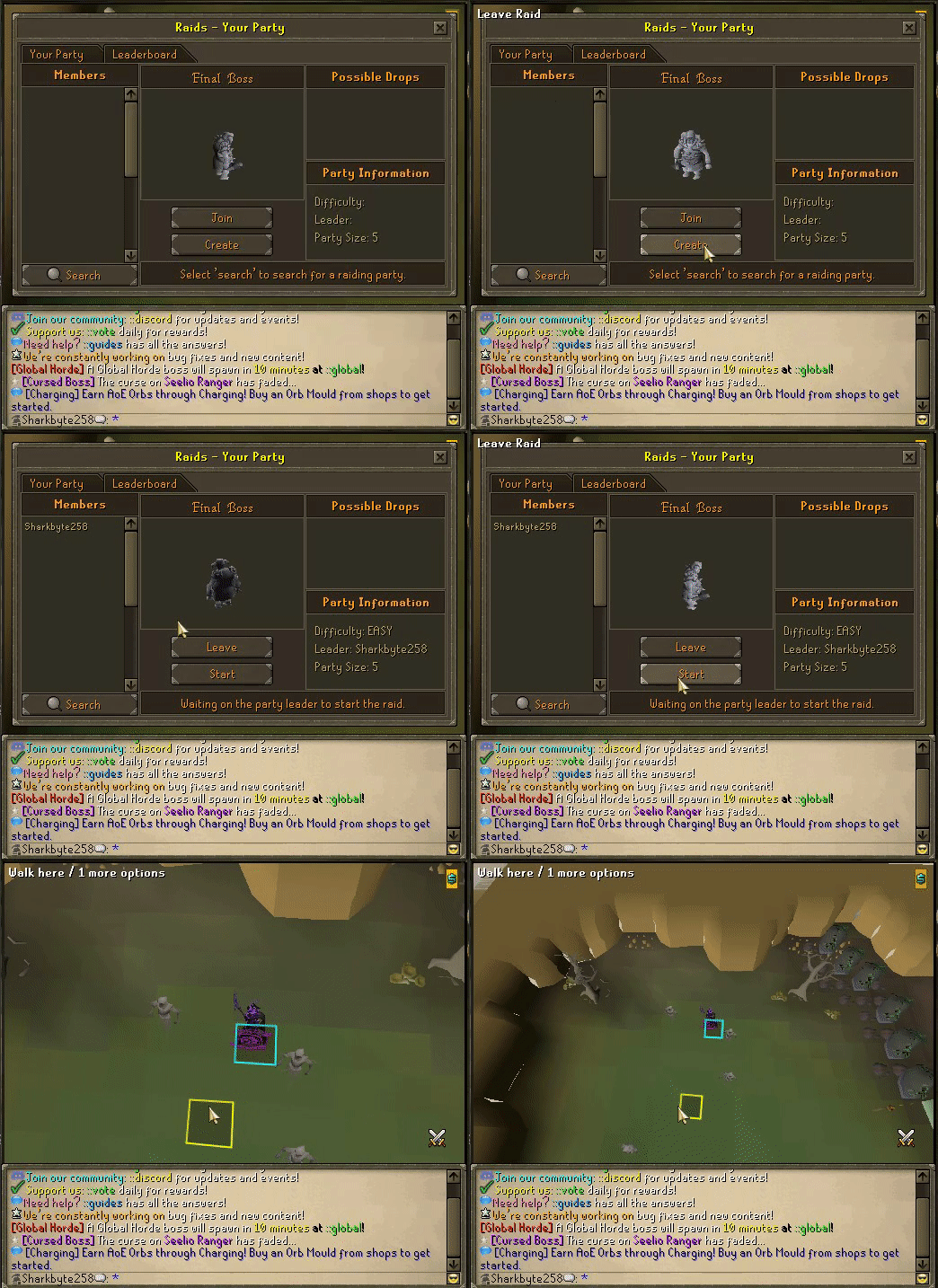 *pro tip: While you can access the Umbral Decent raid right as a new player, the third room requires you to have a weapon from each combat style in order to complete!
Minigames
Minigames are just that small games that take little time to finish and reward you with keys. You can take these keys to ::chests and open the corresponding chest for various loot. This is a great way to obtain early game accessories and other high value items! These Mini-Games can be accessed by Ctrl-t or the globe in the bottom left corner of the Mini-Map and navigating to the Minigame tab. 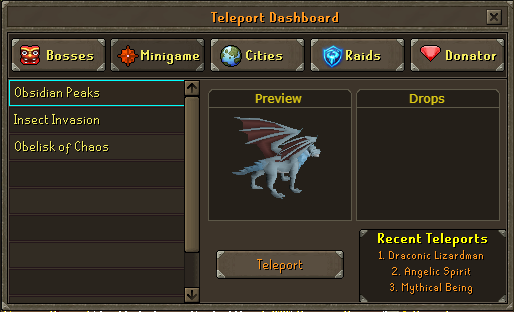
Charging
The Charging Skill is the bread and butter of AoE. First you will need to purchase an AOE Orb Mould from the shopkeeper (ironshop if playing ironman mode) then click on the mining skill and choose the third option "Orb Mine" 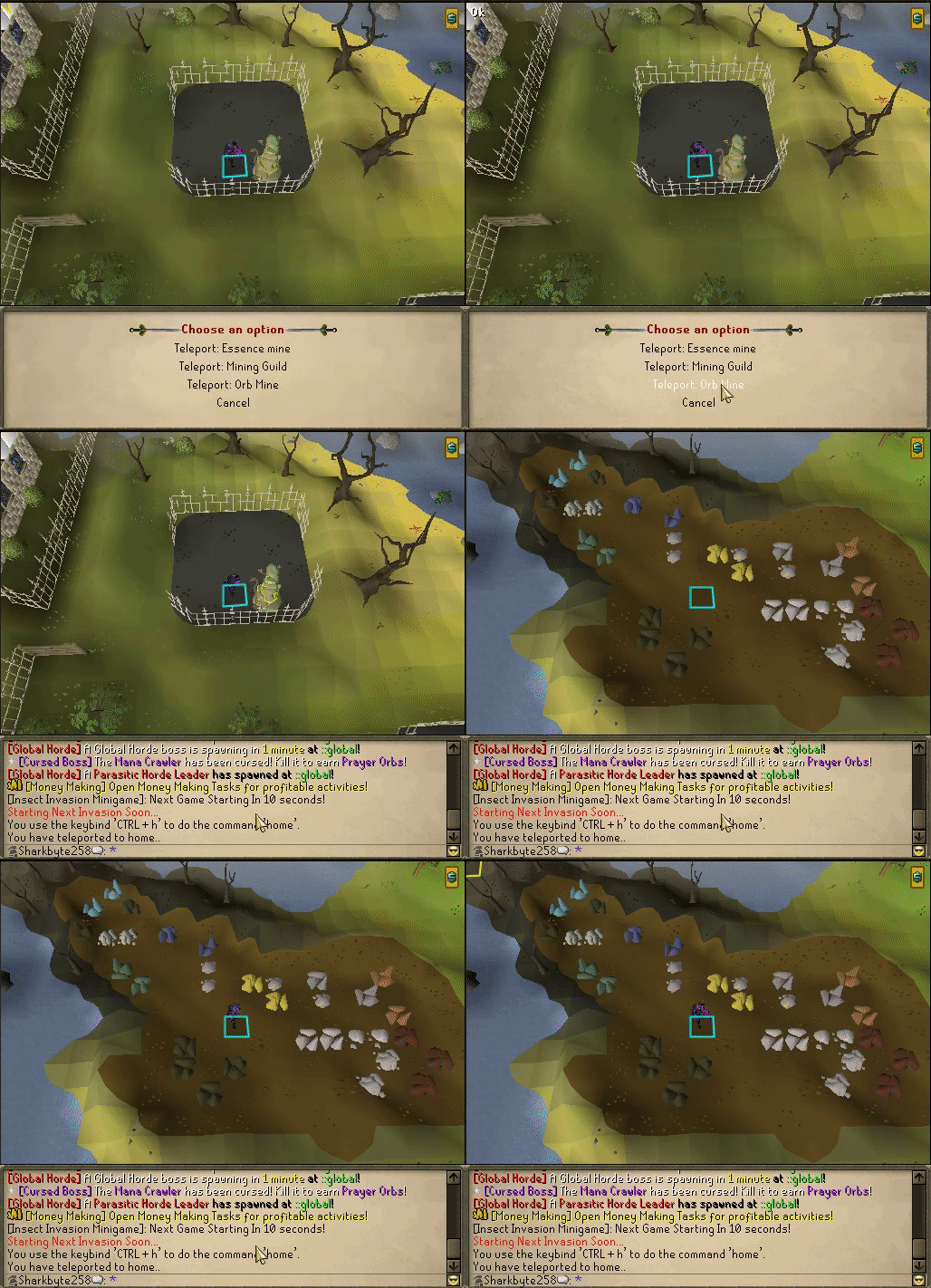 Here you will find amongst the rocks Petty, Lesser, Common, Greater and Grand AoE Orb Ores mining these will net you the respective "empty" orbs.
 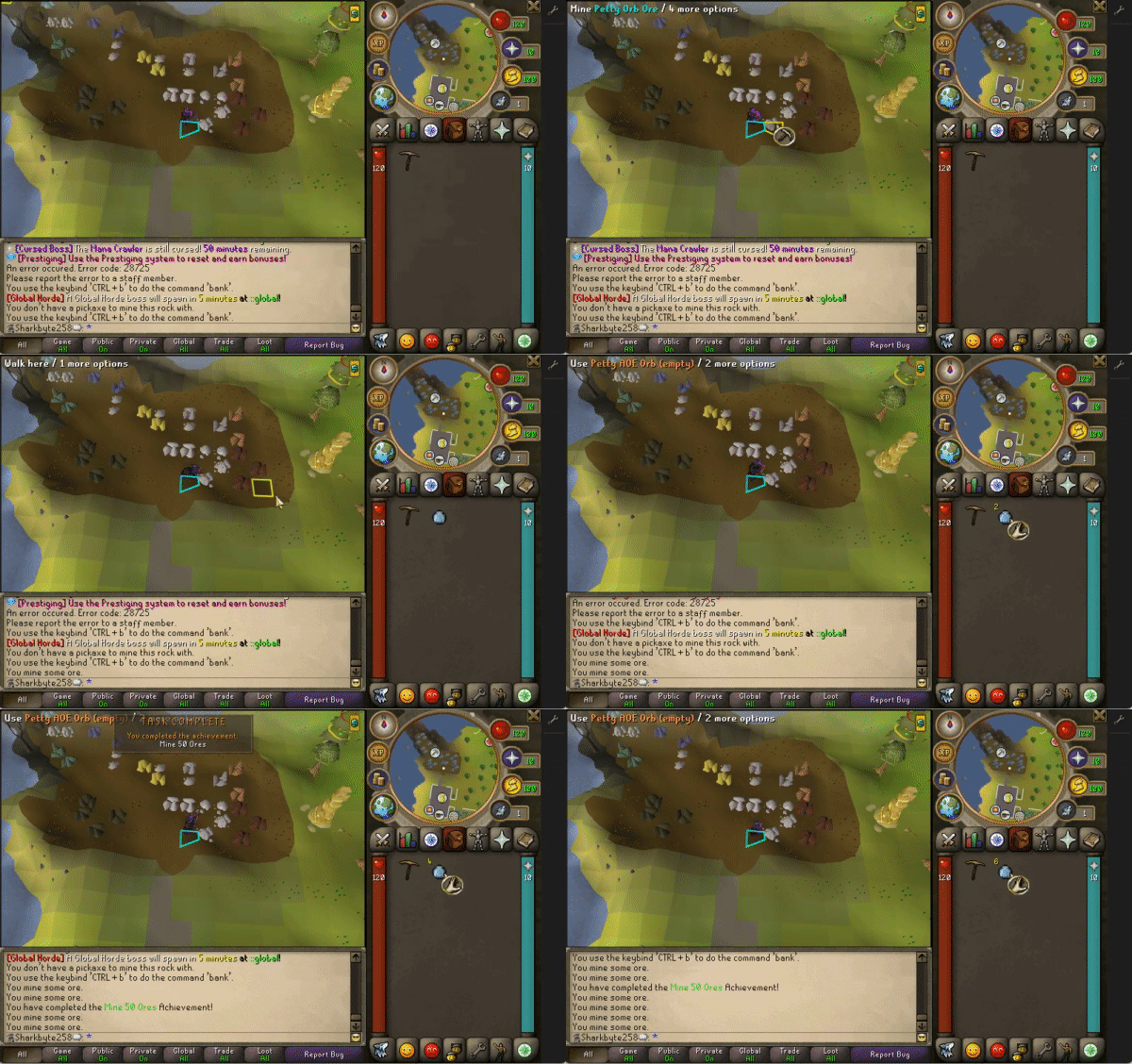 you take these orbs to the Charging Obelisk (click Charging Skill) to charge them with AoE power, the higher the tier of empty orb used the larger the AoE gained.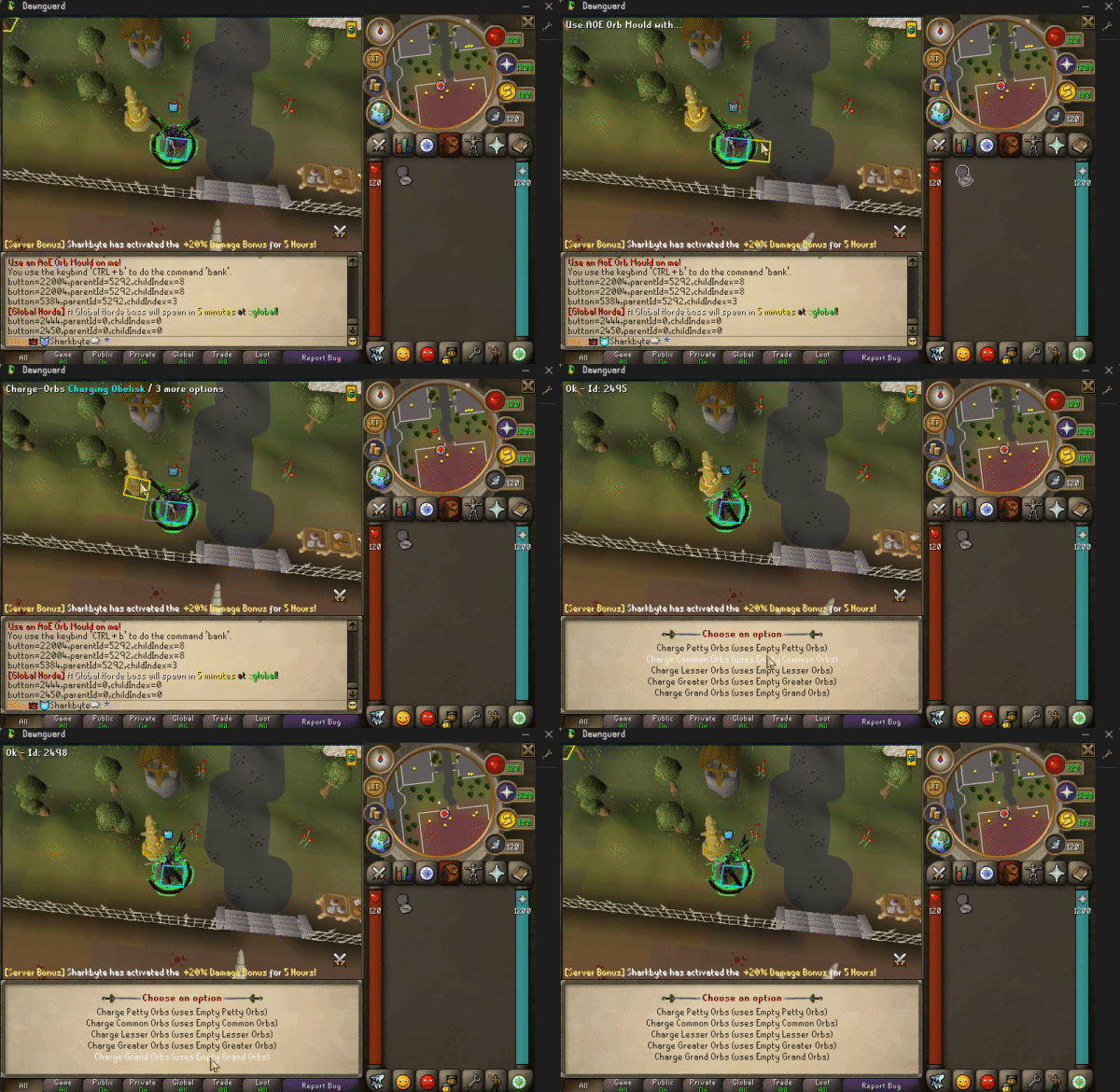
Commands
Dawnguard has many commands and hotkeys added for QoL including the following Ctrl + H / ::home — Teleports you to the Home area. Ctrl + G / ::global — Teleports you to the Global Bosses. Ctrl + R / ::refill — Refills your prayer points (5-minute cooldown). Ctrl + I / ::instances — Opens the Instance UI. Ctrl + T / ::teleports — Opens the Teleport UI. Ctrl + P / ::pos — Opens the Player Owned Shops (POS). Ctrl + B / ::bank — Opens your bank from anywhere (except inside raids). Ctrl + M — Opens the Money Making Tasks (MMT) UI. ::chests - teleports you to the chests ::shops - teleports you to the shops ::sdash — Opens the Slayer Dashboard. ::store — Opens the Donation Store to purchase boxes. ::deals — Checks the current Donator Deals. ::yt — Opens the YouTube interface to enter giveaways. ::staff — Lists the current staff online. ::vote — Opens the voting website. ::claim — Claims your voting and donation rewards. ::items — Displays a tier list of current items. ::tpn — Toggles Perks notifications on/off. ::togglepets — Toggles upgraded pets notifications on/off. ::togglecollammy — Toggles collectors amulet loot notifications on/off. ::toggles - Brings up the Toggles ui for the various toggles we have. ::promo - Brings you to the PvP Promo Event ::realmvip - Teleports you to the Realm VIP area (only available to Realm VIP status members) 💡 Pro Tip: You can check your hotkeys anytime in-game by clicking the Wrench Tab, then clicking the F1 Icon. This menu also allows you to bind custom hotkeys—it is highly recommended to set Ctrl + S to trigger ::sdash for quick Slayer tracking!